
Hi there – Just a quick post this time about that mysterious little dial wheel next to your DSLR camera’s viewfinder window. This is called the diopter and here is what its for and how you use it.
chrysler-building-new-york-city-art-deco-long-exposure
What is the Diopter for?
Obviously everyone has different eyesight, and some people use glasses or contact lenses to improve correct their vision. The diopter basically allows you to adjust the the viewfinder accuracy to custom-fit your own eyesight. Changing this dial to the + or – settings will ensure what you see through the viewfinder is in focus. Note that it won’t actually change the sharpness of the recorded image once the shutter is released, merely the sharpness of what you see through the viewfinder.
How to Adjust the Diopter Correctly?
Adjusting the diopter is a relatively straightforward and quick process.
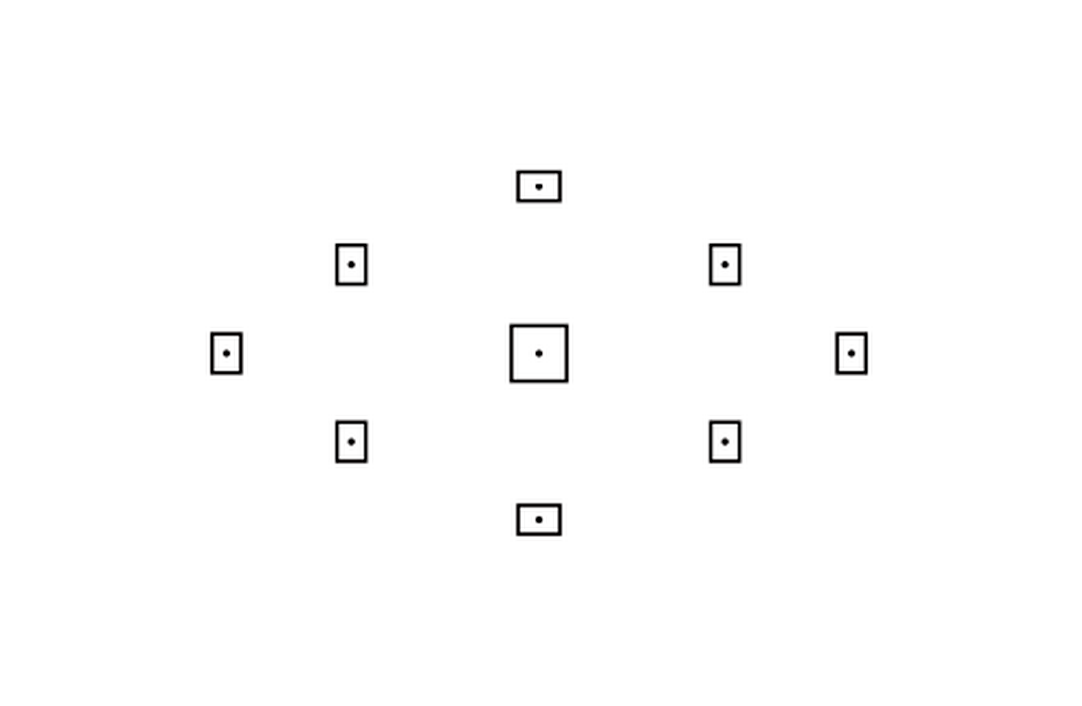
Remove any lens attached without turning the camera on, look through the viewfinder whilst the camera is pointed to a bright wall or the sky. You will see the focus points in your camera viewfinder and adjust the dial until these points are as sharp as you can get them. Thats it – it really is that simple.
Take care not to get any dust or dirt into your camera when the lens is not attached – especially if you are doing this outside on a windy day!
Hope you find this tip useful!
Once again please feel free to contact me if you have any questions or comments about this post (or anything else on my website), and to pass this tutorial onto any photographer friends you think may benefit from it.



Leave a reply